You're running your Google Ads. You're checking your numbers whenever you can spare the time. Then a headline lands in your inbox: Google just announced a big stack of new AI tools, and the coverage makes it sound like the rules of online advertising changed overnight. Again.
Sound familiar? For the last few years, the headline out of Google’s annual event has been some version of "AI is now in everything." If your reaction is "more AI? It's already everywhere," we hear you!
With AI expanding across seemingly every facet of Google Ads and digital advertising, the question we set out to answer is which updates actually matter for small businesses. A few stand out, and we’ve outlined them below.
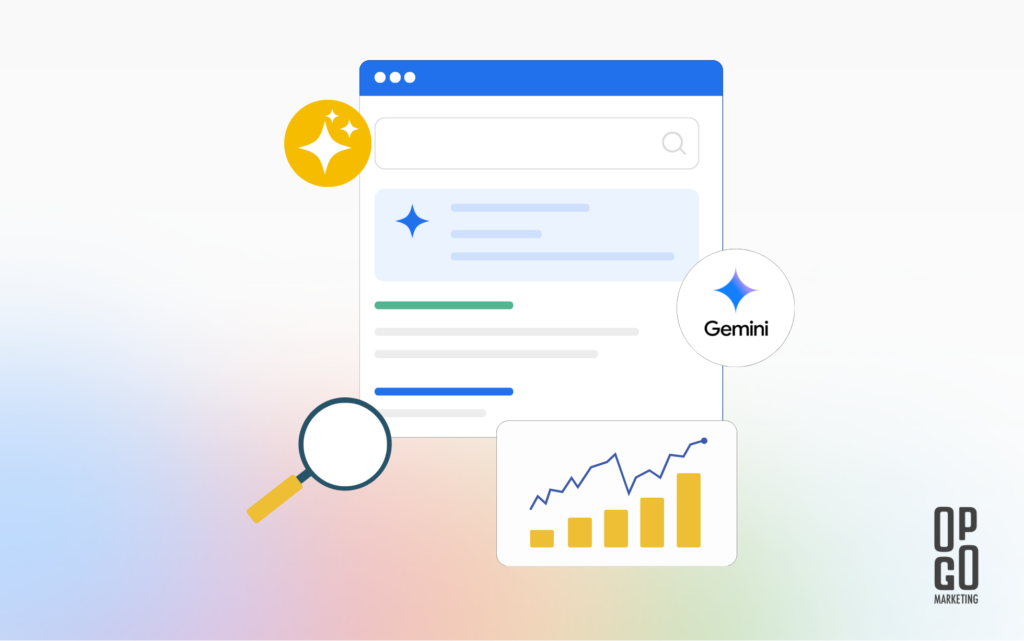
First, what is Google Marketing Live?
Google Marketing Live is an event held each spring where Google announces what’s next for advertisers. This year's event was on May 20, 2026. The presentations outline a roadmap for the next 12 months, and most updates don’t require immediate action. Many of the features relevant to small or medium-sized businesses are still in testing or beta (released early to a limited group), or they expand on tools that already exist.
The engine behind nearly all of it is Gemini, Google's AI system. So what's actually different this year? The message has shifted from "we added AI" to "AI now does things." The word Google kept repeating is "agentic," which is a fancy way of saying the AI can take action for you (with your approval) instead of just offering suggestions for you to carry out yourself.
The most impactful changes for small businesses
1. Your ads will start showing up in Google’s AI answers
When someone uses the chat-style version of Search (Google’s “AI Mode”), they tend to ask full questions instead of searching for just a few keywords. Google is rolling out new ad formats built for this conversational style:
- Conversational Discovery ads: your ad answers the person's specific question, tailored to what they actually asked.
- Highlighted Answers: when AI Mode lists recommendations, your ad can appear on that list.
- AI-Powered Shopping ads: if someone searches for a product, Gemini pulls your most relevant item and writes a short, custom note on why it might fit them.
- Business Agent for Leads: instead of a static contact form, an AI chat agent sits inside your ad and answers questions using your website, then sends you the lead.
What this means in practice: The way people search is shifting from keywords to questions, and your ads are following them there. The best preparation for this change is the same set of fundamentals that already works: solid campaigns, a clear website, and good conversion tracking so the system knows what a real lead looks like. On the organic side, the same shift is why it pays to make sure your business can show up in AI search results.
2. Ask Advisor: one AI assistant across your Google tools
Google formally introduced Ask Advisor, a single AI helper that works across Google Ads, Google Analytics, Merchant Center, and other Google advertising tools (they didn’t release a full list). You can ask it something like "find more customers for ‘X’ product," and it will help set up a campaign, or ask how campaigns are performing and get an answer that pulls from more than one tool at once.
It's in beta now for English-language accounts, with more features arriving later this year.
What this means in practice: We’ve seen this appear in several of our clients’ accounts at OpGo already. This is the kind of tool that can make managing an account feel less intimidating. It's also brand new, so we're testing it carefully before leaning on it for live changes. So far, it’s been helpful as a starting point but sometimes loses direction for complex follow-ups.
3. Generate ad creative with Asset Studio
Coming up with images, headlines, and video is one of the most common places small businesses get stuck. Asset Studio is Google's built-in creative tool, and it's getting an upgrade: describe what you want in plain language, and it generates a range of images (and soon video), learning from your brand guidelines and website. You can then A/B test versions (run two against each other to see which performs better) with a single click.
The upgrade is rolling out in English this summer (2026).
What this means in practice: A head start on creative when you’re working from a blank page. We still recommend a human eye on anything AI generates, so it sounds like you and not like a robot, but this can take the first big chunk of the work off your plate. This is another feature we’ve tested but haven’t relied on for live ads, and it can be a good starting point for ideas.
4. Improved cost efficiency for lead-based businesses
If you generate leads (calls, form fills, quote requests) rather than online sales, two updates are worth knowing about:
- Journey-aware bidding (in beta): Google's automated bidding can now learn from your whole lead-to-sale path, not just the first click. If you track phone calls and form submissions properly, it gets smarter about finding people who actually become customers.
- Demand-led pacing: Instead of spending roughly the same amount every day, your budget can favor days when more people are searching while staying inside your overall total.
What this means in practice: This is where good conversion tracking pays off. The more accurately we tell Google what a real lead is worth, the better these tools work. If you're not certain your tracking is capturing calls and form fills correctly, that needs to be tested (and fixed, if needed) first. (Not sure if your tracking is set up correctly? Our ROI calculators and conversion benchmarks can help you pressure-test your numbers.)
5. Telling AI what it can and can’t say: AI Brief
As campaigns become more automated, the common worry is "great, but will it say something off-brand?" Google is answering this question with AI Brief. It lets you steer the AI in your own words:
- Messaging rules (for example, "never mention prices")
- Matching rules (which kinds of searches to chase or avoid)
- Audience notes (who you want to reach, and how to talk to them)
There's also a related compliance feature called text disclaimers, which makes sure required legal text always appears in your ads. That matters for regulated fields like healthcare, finance, and legal.
What this means in practice: If you're in an industry with rules about what your ads must say, this could open a door to AI features that you previously couldn’t explore.
6. Ads Advisor keeps an eye on your account's safety
The name is almost identical to Ask Advisor from feature two, but this is a separate tool and its updates are focused on account safety. Getting an ad disapproved or finding out your account is at risk of suspension is stressful, and it can stall your advertising for days or even weeks. Google is adding safety features to Ads Advisor that note policy problems with guidance on how to fix them, watch your account for security issues, and speed up the certification paperwork some industries require.
What this means in practice: Fewer surprises. This is mostly behind-the-scenes protection, but when an issue arises, it can save you time and stress previously spent figuring out why it happened and how to fix it.
The main takeaways
Google Marketing Live 2026 was, more than anything, one message repeated a dozen ways: AI is now part of every step, and the process of managing ads is shifting from pulling every lever yourself to guiding the AI well.
For small businesses, the takeaways are:
- Most of the features are still rolling out, so you don’t need to overhaul your account today.
- The basics still matter most: clean conversion tracking, a clear, user-friendly website, and campaigns set up with clear intent are necessary for the features to perform well.
- Not every tool will be a winner, so we recommend researching and testing features before applying them to your campaigns.
Want to talk about your Google Ads account specifically?
If you're curious about how any of this applies to your account, we're happy to walk through it. At OpGo Marketing, we help small businesses get more out of their digital marketing services by making sure the strategy behind the spend is sound. We can help you identify what's working and what to change to improve your Google Ads performance.
Contact us for a free discovery call, and let's take a look at where you are today.